Custom build service on a narrow Xcode slice
experiment ·
Swift Build Accelerator is a research program trying to shorten the time from an Xcode edit to a visible Simulator result. It is not a shipped product, and nothing in this note is a speed claim.
The problem it attacks is that wait. It is still the boring tax on everyday iOS work. A small SwiftUI change should not feel like sending a job to another building. The program treats honesty as the first question. If the custom path cannot produce an honest build, a short wait is still a wrong build.
The slice is narrow on purpose. Apple Silicon. Xcode 26.3. SwiftUI written only in Swift. Debug. iOS Simulator. Not Intel. Not Release. Not a physical device. Not the App Store. I would rather be precise on one configuration than imply this works everywhere.
On 20 August 2026, Checkpoint 000 recorded the first compatibility proof. Stock xcodebuild on Xcode 26.3 and Apple Swift 6.2.4 accepted a custom build service I built from source, then completed one isolated SwiftUI Debug Simulator build. That is the whole milestone. Dinner came out.
Xcode does not compile your app all by itself. It talks to a build service. You can point stock xcodebuild at a service you built from source. The first honest question is not whether the new service is faster. It is whether stock Xcode will even run it, and whether the build finishes. Everyday example, you swap the kitchen staff and still use the same restaurant. The first test is whether dinner still comes out, not whether the new staff is quicker. The second test, still open, is whether the plate is the same down to the last detail.
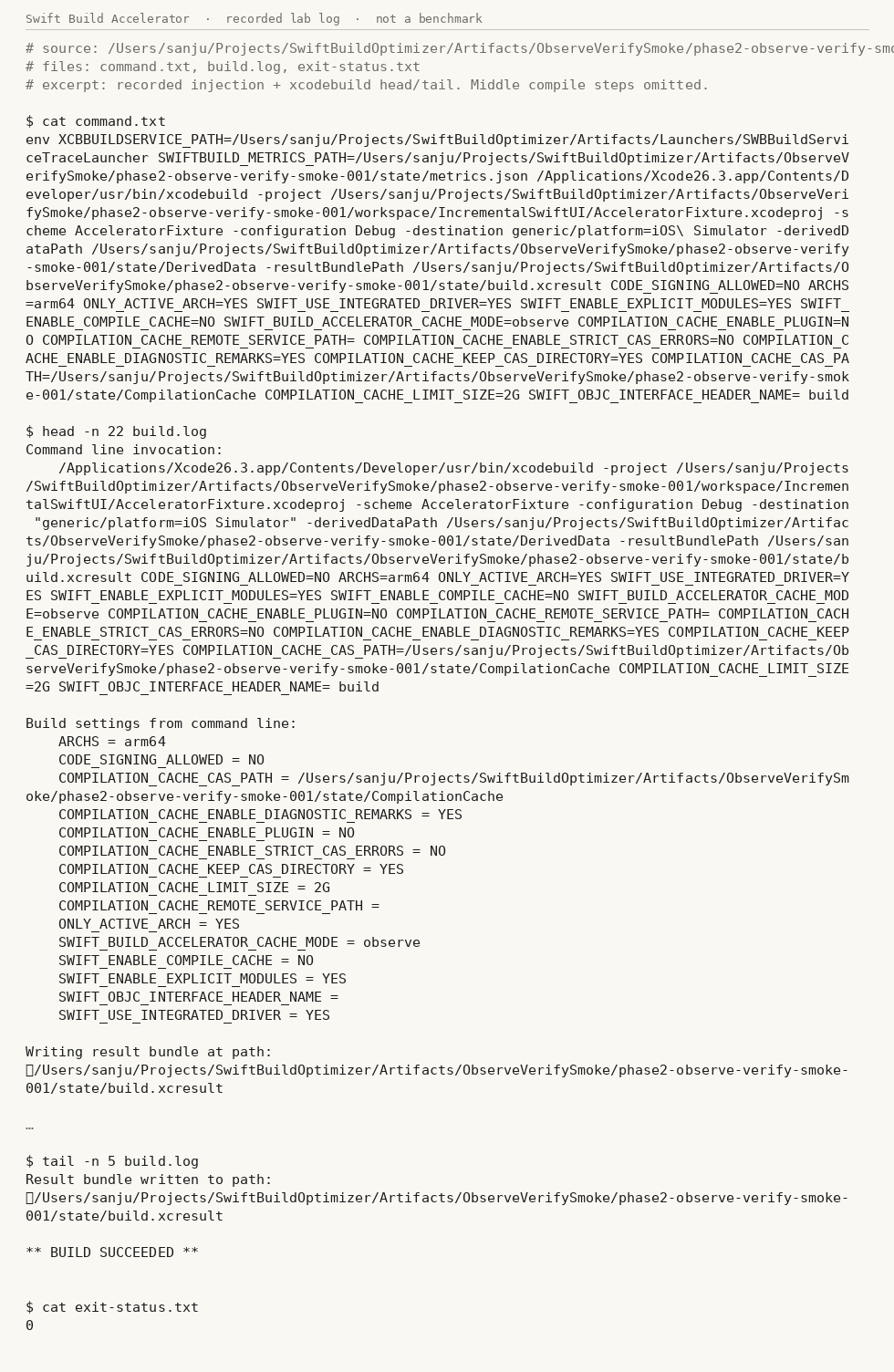
The still on this page is a later lab recording of that same kind of handoff. A custom service path was set, then BUILD SUCCEEDED and exit 0. It is a lab log, not a benchmark. If I do not point Xcode at the custom service, stock Xcode runs as usual. Omitting the injection is the fallback.
The built app is not yet a perfect byte match with a stock build. I am leaving that gate open in public, because matching bits is the second test, not a polish item. The first compatibility proof is done. The byte match is not.